
Course Program Display
Works in
Page Type
- Homepage
- Default Page
- Landing Page
Block Role
Standalone block
Typical use Course pages
Screenshot
Section titled “Screenshot”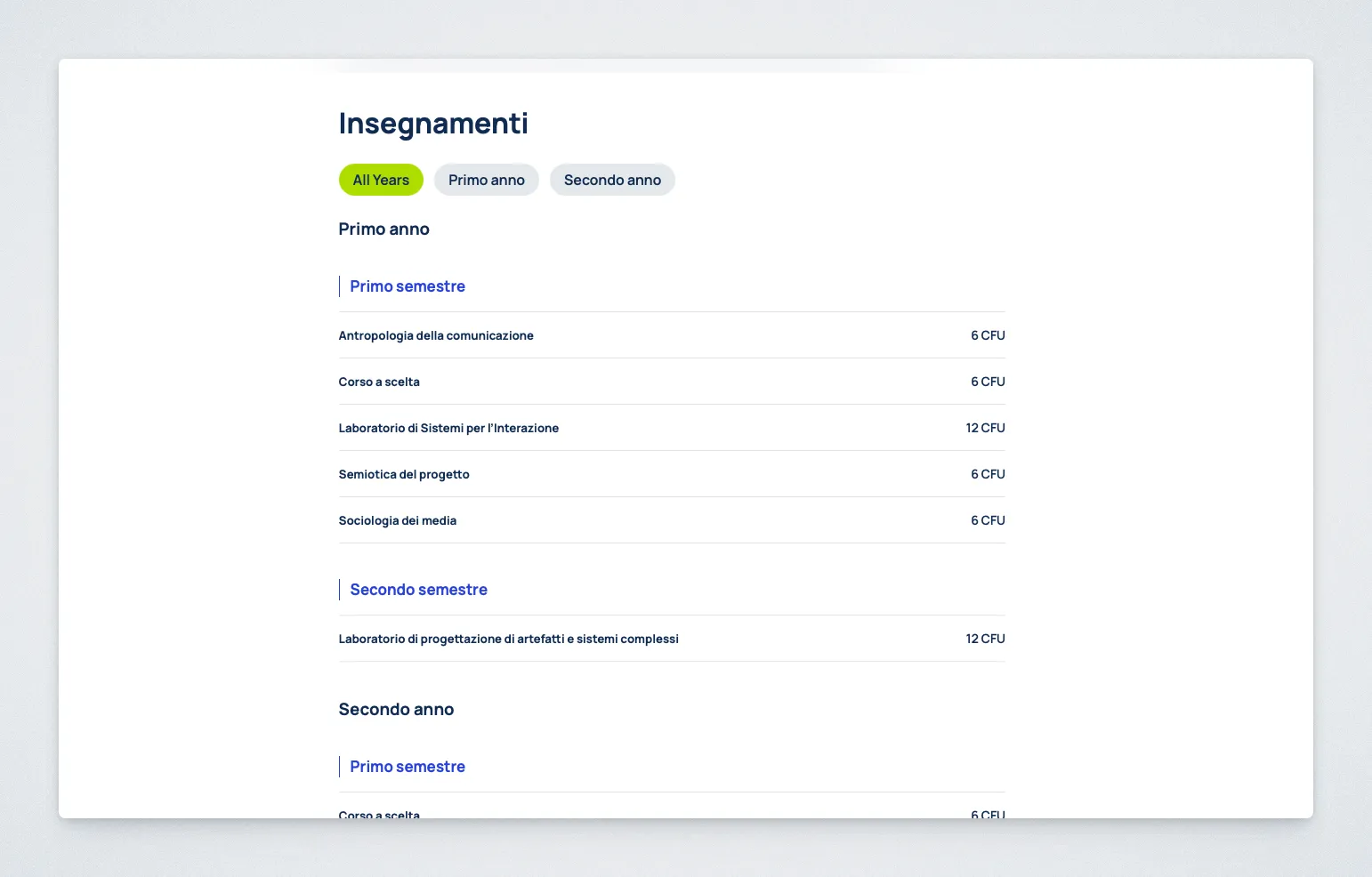
Purpose
Section titled “Purpose”The Course Program Display block shows the structure of a selected course and groups its subjects by year and semester.
It is designed to present a course structure clearly, either on a dedicated page or as a section within a page.
Controls
Section titled “Controls”Select Course to DisplayShow headingHeadingDisable internal subject linksDisplay subject descriptionsCompact display modeShow “All Years” tabYear label styleSemester label style
Behavior Notes
Section titled “Behavior Notes”- The block displays subjects from the selected course.
- Subjects are grouped by year and semester.
- Archived Subjects and their nested branches are not rendered.
- Year and semester labels can use localized long, ordinal, or cardinal styles. Ordinal labels read like
1st year; cardinal labels read likeYear 1. - Linked Subject rows are fully clickable and show a fixed, language-aware
See details/Vedi dettaglicall to action. The title and call to action provide hover feedback, and the link is removed when internal Subject links are disabled. - Internal Subject links preserve the page containing the block, so Subject back links and breadcrumbs can return visitors to that editorial context.
- Assigned course sections are labelled as
Section/SectionsorSezione/Sezioni, according to the frontend language and number of sections. - Credit values use ‘CFU’ by default. When the theme’s Use ‘ECTS’ on English pages setting is enabled, English block output uses ‘ECTS’ instead.
- Subject descriptions are hidden by default and can be enabled explicitly.
- The default block title is
Insegnamenti. - If the block title is shown, it can appear in the page Table of Contents.
- If the block title is enabled, subject headings are shown one level lower in the page hierarchy.
- If internal links are disabled, links to subject pages are removed, while external links remain available when present.