
Homepage Title Section
The Homepage Title Section is the introductory area displayed at the top of the homepage. It can be customized with different text, visual elements, and presentation styles to suit the website’s identity and content.
Location
Section titled “Location” WordPress admin
- Appearance
- Customize
- Homepage Title Section
Screenshot
Section titled “Screenshot”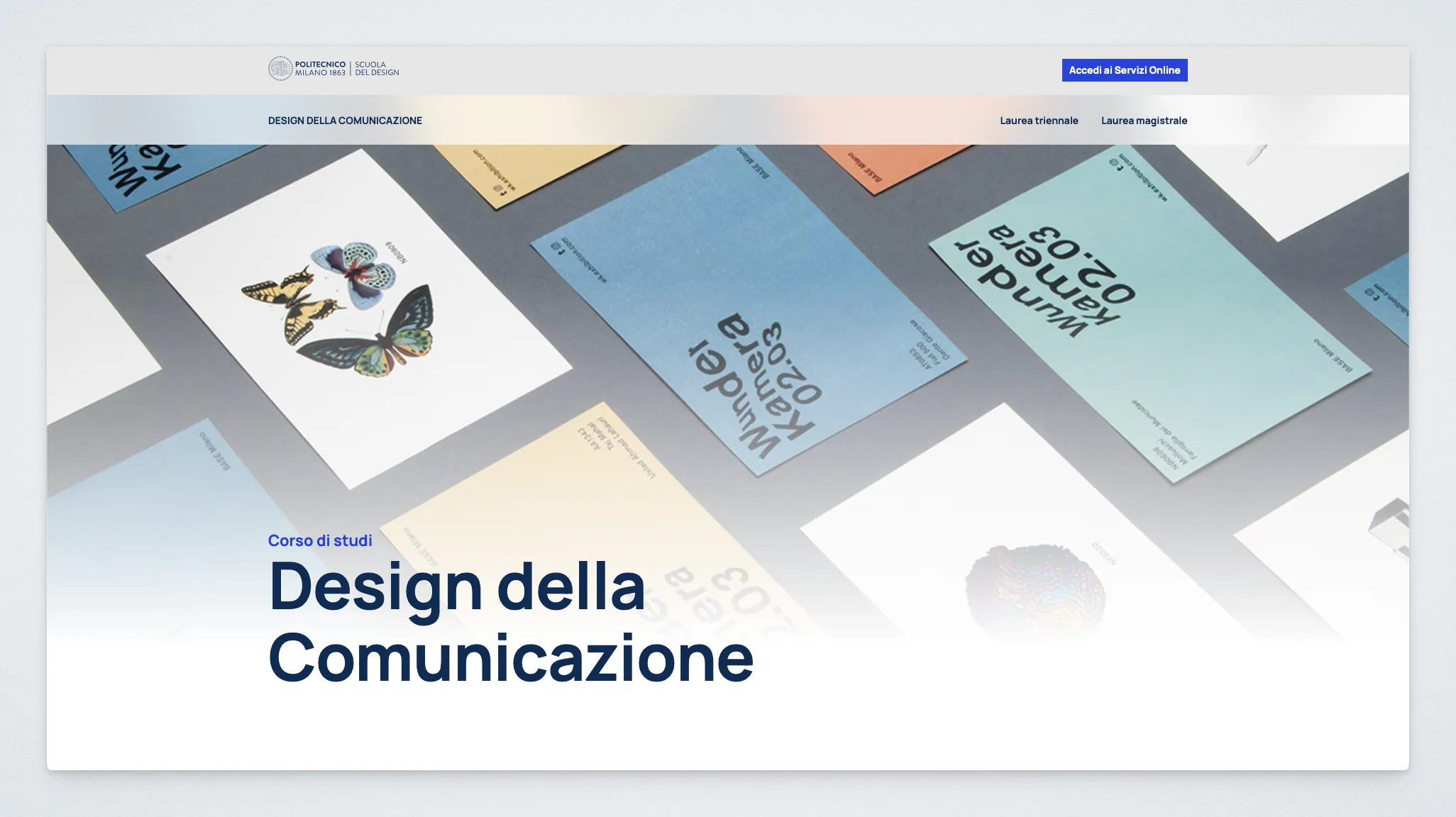
Presentation Styles
Section titled “Presentation Styles”Two presentation styles are available:
- Media: Displays a background video or image behind the title. When a video is selected, the image serves as a fallback if the video cannot be played.
- Typographic: Uses a solid background based on the website’s accent color, with a decorative shape, descriptive text, and an optional call-to-action button.
The Typographic style is mandatory for PhD Course websites.
Controls
Section titled “Controls”| Control | Description |
|---|---|
| Title Section style | Choose between Media and Typographic styles. |
| Background Video | Upload a background video for the Media style. |
| Fallback Image | Select an image to display when no video is available or playback is not supported. |
| Eyebrow | Add a short line of text above the title. Supports superscript notation, such as B^3LAB or B^{31}LAB. |
| Title | Set the main title, with support for multiple lines. |
| Descriptive text | Add a description below the title in the Typographic style. |
| Supporting text | Add an optional second paragraph below the description. |
| Show Call to Action | Enable an optional button in the Typographic style. |
| Destination for Call to Action | Choose whether the button links to another page or a section of the homepage. |
| Destination page for Call to Action | Select the page to link to. |
| Destination section ID for Call to Action | Enter the anchor ID of the target section, such as hero or spotlight. |
| Background shape | Choose the decorative shape used in the Typographic style. |