
Information List
The Information List block displays repeatable rows, each with a title on the left and a text value or action on the right.
Block details
Supported page types
- Homepage
- Default Page
- Landing Page
Block role
Container block
Allowed blocks
- Information Item
Screenshot
Section titled “Screenshot”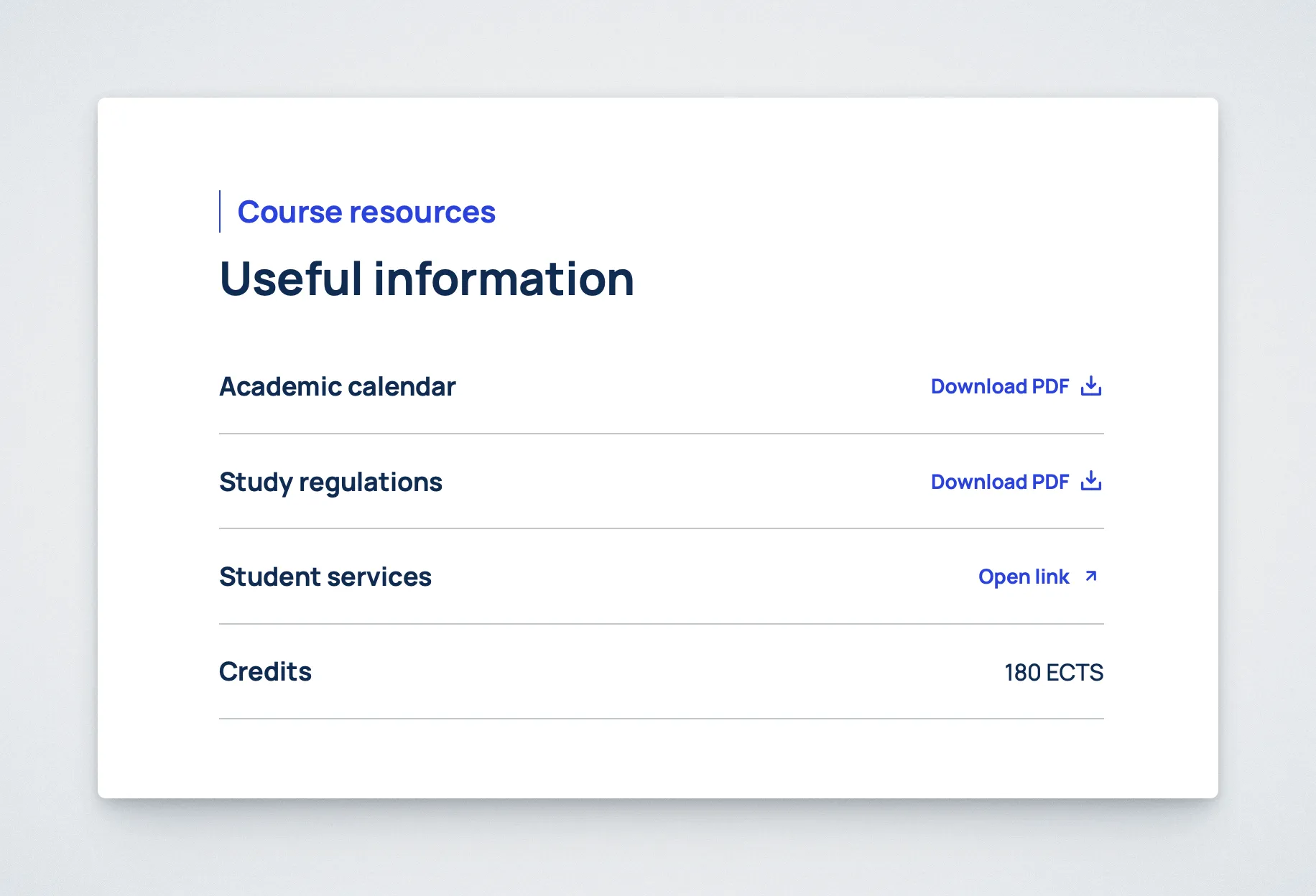
Controls
Section titled “Controls”List and all rows
Section titled “List and all rows”| Control | Input | Description |
|---|---|---|
| Eyebrow (optional) | Text | Adds a small label above the list heading. |
| Heading (optional) | Text | Adds a heading for the list. |
| Row type | Select | Chooses text, file, or link for each row. |
| Title | Text | Sets the label on the left of the row. |
Text rows
Section titled “Text rows”| Control | Input | Description |
|---|---|---|
| Text | Multiline text | Sets the value for a text row and supports line breaks. |
File rows
Section titled “File rows”| Control | Input | Description |
|---|---|---|
| File | Media | Chooses the downloadable file for a file row. |
| Call to action | Text | Sets the download label; a default is used if left blank. |
Link rows
Section titled “Link rows”| Control | Input | Description |
|---|---|---|
| Link | URL or page search | Sets the destination for a link row. |
| Call to action | Text | Sets the link label; a default is used if left blank. |
Behavior Notes
Section titled “Behavior Notes”- File rows use a download icon on the frontend.
- External links use an external-link icon.
- Internal links use the standard right-arrow icon.
- Rows are collapsible in the editor for easier editing.
- Inside Two Columns, this block is allowed only in the left column.